How to Bulk Edit EXIF Date and Location on iPhone & iPad
Learn how to bulk edit EXIF data, dates, and locations on iPhone and iPad. Save time managing your photos with these quick and easy tips.
By Mohith K MUpdated 1 min read
We are adding new “BULK EDIT EXIF” feature on version 5.0 of our EXIF Viewer by Fluntro App. You can shift dates, set dates to specific date, edit /remove location, edit other exif tags like Title, Artist name etc
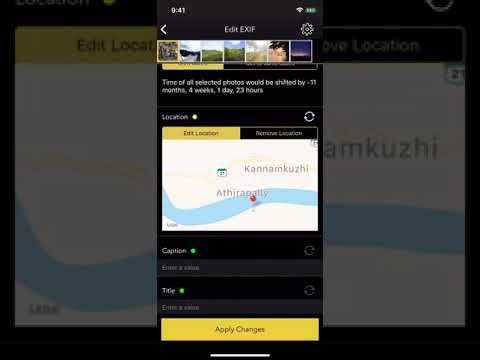 ▶How to BULK EDIT EXIF on iPhone X , Photography App