How to View EXIF Metadata in the Photos App on iOS 15+
Starting iOS 15, Apple have started showing EXIF Metadata details of photos right on Photos App.
By Sneha MohithUpdated 1 min read
Starting iOS 15, Apple have started showing EXIF Metadata details of photos right on Photos App.
- Open Photos App
- Select desired photo
- Tap on “i” button at bottom bar or swipe up photo to show exif details

- Photo details would be displayed like in screenshot below
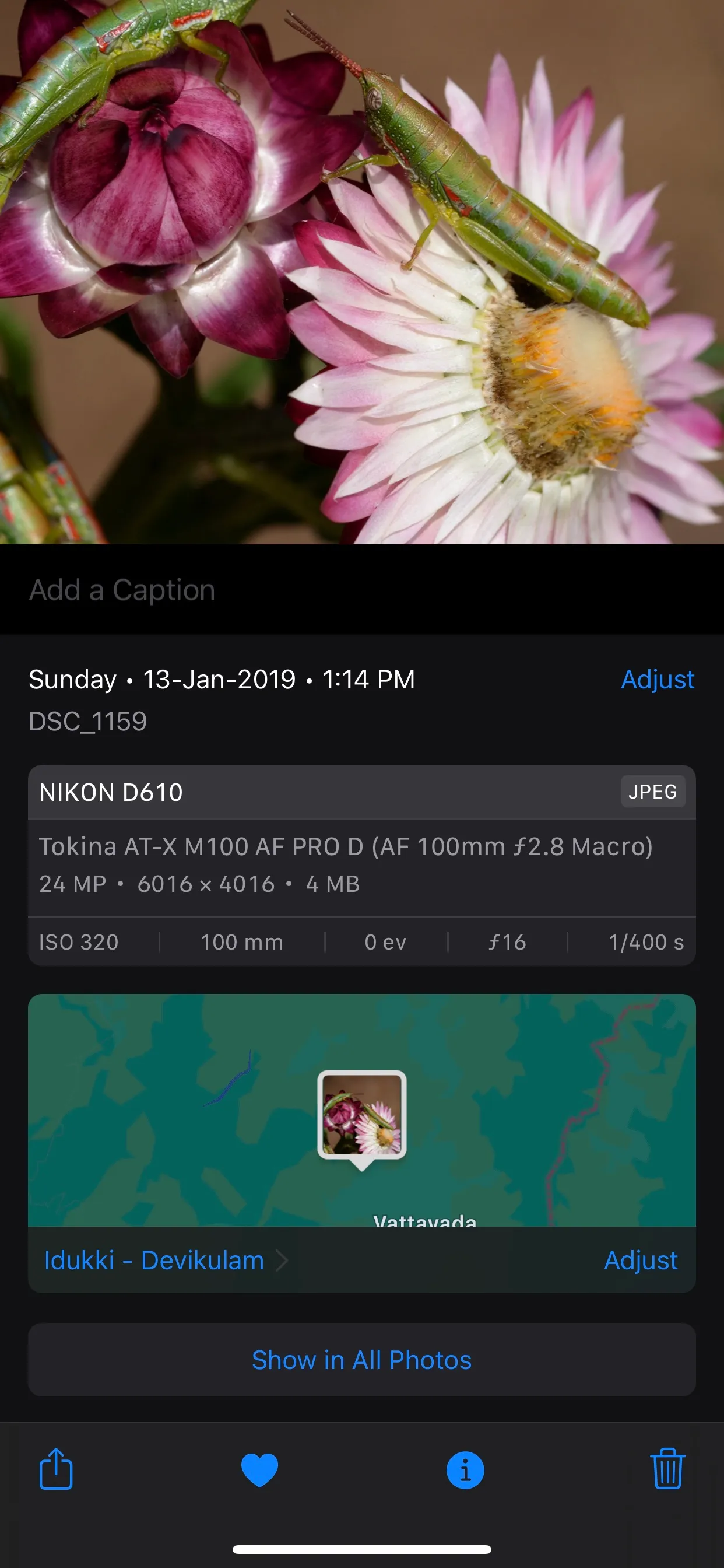
EXIF Details would be shown like in above image.
If you want to view more EXIF Details than that is displayed in photos app. Checkout any “EXIF” Apps from Appstore, like our app “EXIF Viewer by Fluntro
Download the “Exif Viewer by Fluntro” App from Appstore