
Free · No upload · No account
Online EXIF Metadata Viewer
See what's hidden inside any photo — camera and lens, exposure settings, capture date, and GPS location. Everything runs in your browser: your photo is never uploaded to Server. [ + ]
Drop a photo here
JPEG · HEIC · PNG · TIFF · AVIF · RAW (CR2, NEF…) · or paste from clipboard
Photos are read locally on your device — this page makes no network request with your file.
For iPhone, iPad & Mac · Featured by Apple
The full EXIF toolkit lives on your iPhone
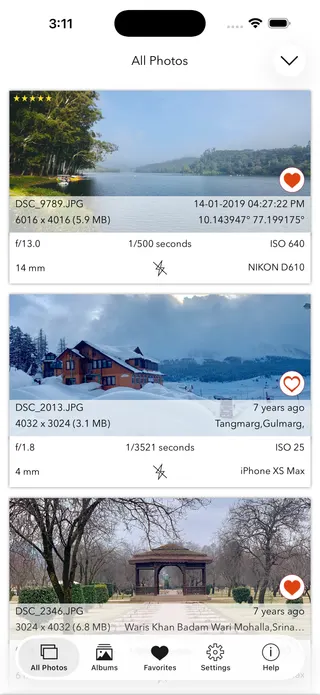
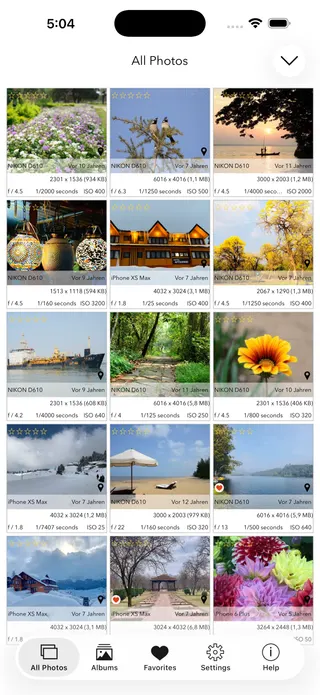
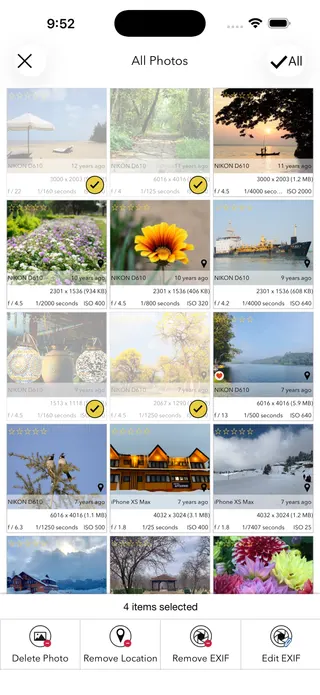
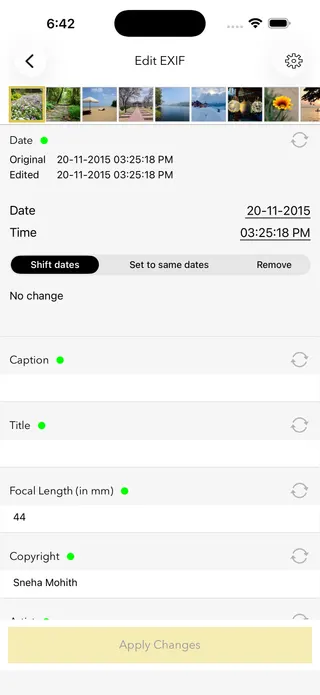
This page shows what’s inside a photo. EXIF Viewer by Fluntro goes further — view, edit, and remove metadata (including GPS geotags) right in your photo library, bulk-edit dates and locations, and share any photo with or without its EXIF. Buy once, use on iPhone, iPad and Mac. No subscription. Your photos never leave your device there either.
4.7· 1.9K ratingsFeatured by Apple
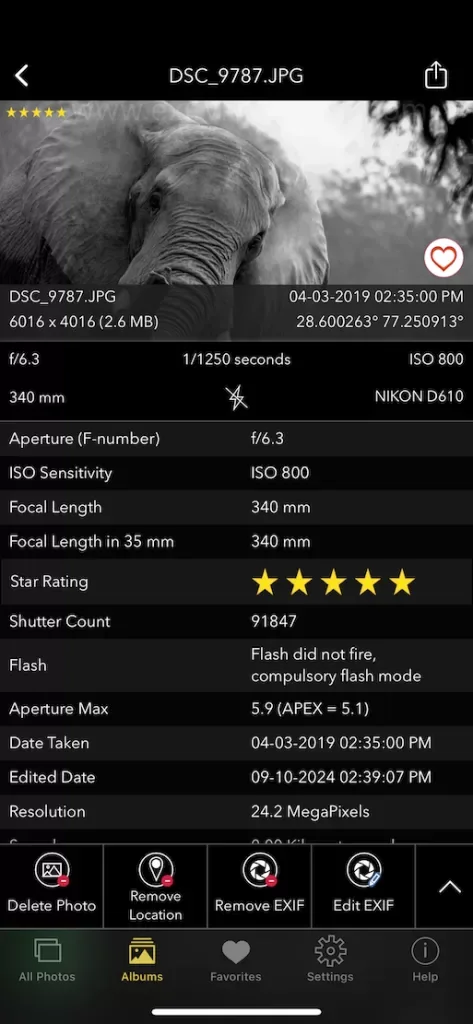
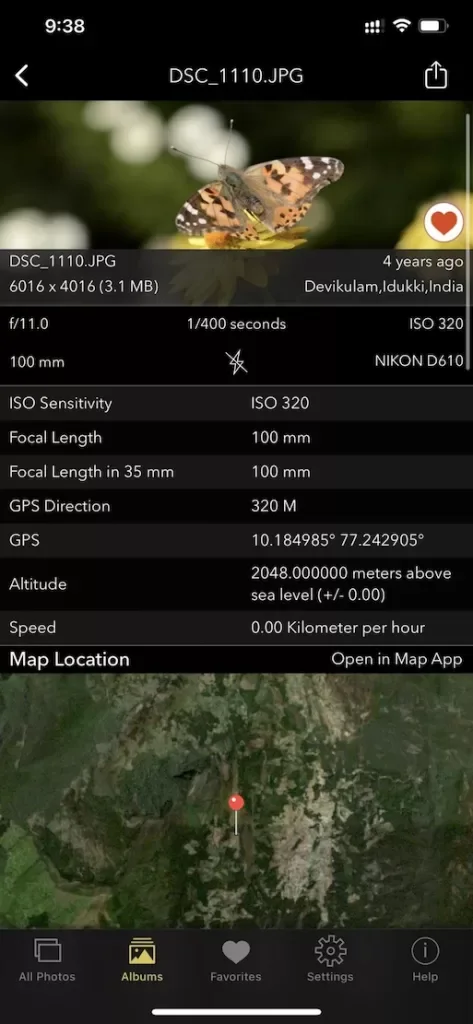
EXIF Metadata Viewer — frequently asked questions
Short answers; the app’s guides go deeper.
What is EXIF metadata?
EXIF (Exchangeable Image File Format) is data your camera or phone embeds inside every photo it takes: camera and lens model, aperture, shutter speed, ISO, the exact date and time, and often the GPS coordinates of where the photo was taken. It travels with the image file itself.
Does this tool upload my photo?
No. This viewer runs entirely in your browser using JavaScript. Your photo is read locally on your device and never leaves it — there is no server, no upload, and no account. Once the page has loaded, it even works offline.
Why does my photo show no EXIF data?
Most social and messaging apps — WhatsApp, Instagram, Facebook, X — strip EXIF metadata when a photo is shared, and screenshots contain almost none to begin with. To see the full metadata, check the original file straight from the camera, sent via email, AirDrop, or a cloud drive.
How do I remove EXIF data or GPS location from a photo?
On iPhone and iPad, the EXIF Viewer by Fluntro app can remove EXIF metadata — including GPS geotags — from one photo or hundreds at once, directly in your photo library, and lets you share any photo with or without its metadata. It is a one-time purchase with no subscription.
Which image formats does this EXIF viewer support?
JPEG, HEIC/HEIF (the iPhone default), TIFF, PNG and AVIF, plus many TIFF-based RAW formats such as CR2 and NEF. Support for RAW files varies by camera maker.
How do I see where a photo was taken?
If a photo still contains its GPS metadata, upload it here and the viewer shows the exact latitude and longitude, plus one-tap links to open the spot in Google Maps, Apple Maps, or OpenStreetMap. Note that most photos posted to social media have had this location data removed.
Can you tell what camera or phone took a photo?
Yes, when the maker and model tags are present. The report shows the camera or phone model, the lens, and the exposure settings (aperture, shutter speed, ISO, focal length). If those tags were stripped, the tool will tell you none were found.
How do I view EXIF data on iPhone, Android, Mac, or Windows?
This viewer works in any modern browser on any device — iPhone, Android, Mac, or Windows — with no install. On iPhone and iPad, the EXIF Viewer by Fluntro app also reads metadata directly from your photo library and can edit or remove it.
Is it safe to upload photos to an online EXIF viewer?
With most online viewers your photo is sent to a server, which is a privacy risk for images with GPS or personal metadata. This tool is different: it reads everything on your own device in the browser and uploads nothing, so your photo never leaves your computer or phone.
Can EXIF data show if a photo has been edited or is AI-generated?
EXIF can offer clues. A Software tag naming an editor, or missing camera and lens fields, can indicate a photo was processed or exported by an app rather than captured by a camera. Metadata alone is not proof, since it can be edited or removed, but it is a useful first check.
What is the difference between EXIF, IPTC, and XMP metadata?
EXIF is written by the camera and covers technical capture data like exposure, date, and GPS. IPTC and XMP are mostly added later and hold descriptive information such as captions, keywords, creator, and copyright. This viewer reads all three when they are present.
Does removing EXIF metadata reduce photo quality?
No. Metadata is separate information stored alongside the image pixels, so removing it does not recompress or degrade the picture. Stripping EXIF only deletes the extra data such as GPS and camera settings; the photo itself looks identical.
Is this online EXIF viewer free?
Yes, viewing metadata and saving the PDF report here are completely free, with no account and no upload. For editing or bulk-removing metadata on iPhone and iPad, the EXIF Viewer by Fluntro app is a one-time purchase with no subscription.
Private by design
This tool was built so your photos never have to leave your device. Here’s exactly what that means for your data.
Nothing is uploaded
Your photo is opened and read entirely inside your own browser. It is never sent to a server, stored, or shared — once this page has loaded, it even works with your connection switched off.
No account, no tracking
There is no sign-up and no advertising cookies. The only thing saved on your device is your light or dark theme preference. Page views are counted without cookies or identifiers.
Your location stays yours
If a photo contains GPS coordinates, they are shown only to you, on your screen. We never see them, and any map link opens only if you choose to click it.
Nothing to collect
Because no personal data leaves your device, there is nothing for us to collect, log, or process. The full details are in our Privacy Policy.
Metadata is read from your file exactly as it was saved and is shown “as is.” It can be missing, altered, or inaccurate — for example, timestamps depend on the camera's clock and GPS can be approximate — so please don't rely on it as proof for legal, forensic, insurance, or safety decisions. This tool is provided free and without warranty; see our See our Terms & Disclaimer and Privacy Policy.
More free photo tools
All 20 run in your browser — nothing is ever uploaded.
Inspect & verify
- EXIF Metadata ViewerSee every tag hidden in a photo · you are here
- Photo Privacy CheckerWhat does your photo reveal about you?
- Is This Photo Edited?Editing traces & AI markers
- What Camera Took This Photo?Identify the camera, phone & lens
- When Was This Photo Taken?Find the exact date & time
- Photo Location ViewerSee where a photo was taken
- Camera Shutter CountCheck a camera’s shutter actuations